M365 - data encryption in OneDrive and Sharepoint
Source:
- Data encryption in OneDrive and SharePoint | Microsoft Learn
- Technical reference details about encryption | Microsoft Learn
Microsoft 365 employs multiple layers of encryption to safeguard customer data both at rest and in transit, forming a core part of its defense-in-depth security strategy.
Data at Rest
Customer data stored in SharePoint, Teams chats, emails, and OneDrive is encrypted using technologies such as BitLocker and application-level encryption. BitLocker encrypts disk volumes with AES-256, protected by a volume key (FVEK) secured by a master key (VMK) tied to the TPM. Application-level encryption further secures individual files with unique keys, stored separately from the data, ensuring that storage services like Azure Blob Storage cannot access the plaintext data.

Data in Transit
All communications between clients and Microsoft servers, as well as inter-server communications, are secured using TLS and IPsec protocols. Microsoft manages its own certificate authority, issuing certificates with RSA 2048-bit keys or higher, ensuring secure, encrypted sessions compliant with FIPS 140-2 standards.
Key Management
Microsoft manages encryption keys through a hierarchical system, including:
- Microsoft-managed keys: Default option, where Microsoft handles key lifecycle, rotation, and storage securely in private key vaults. This simplifies compliance but limits customer control.
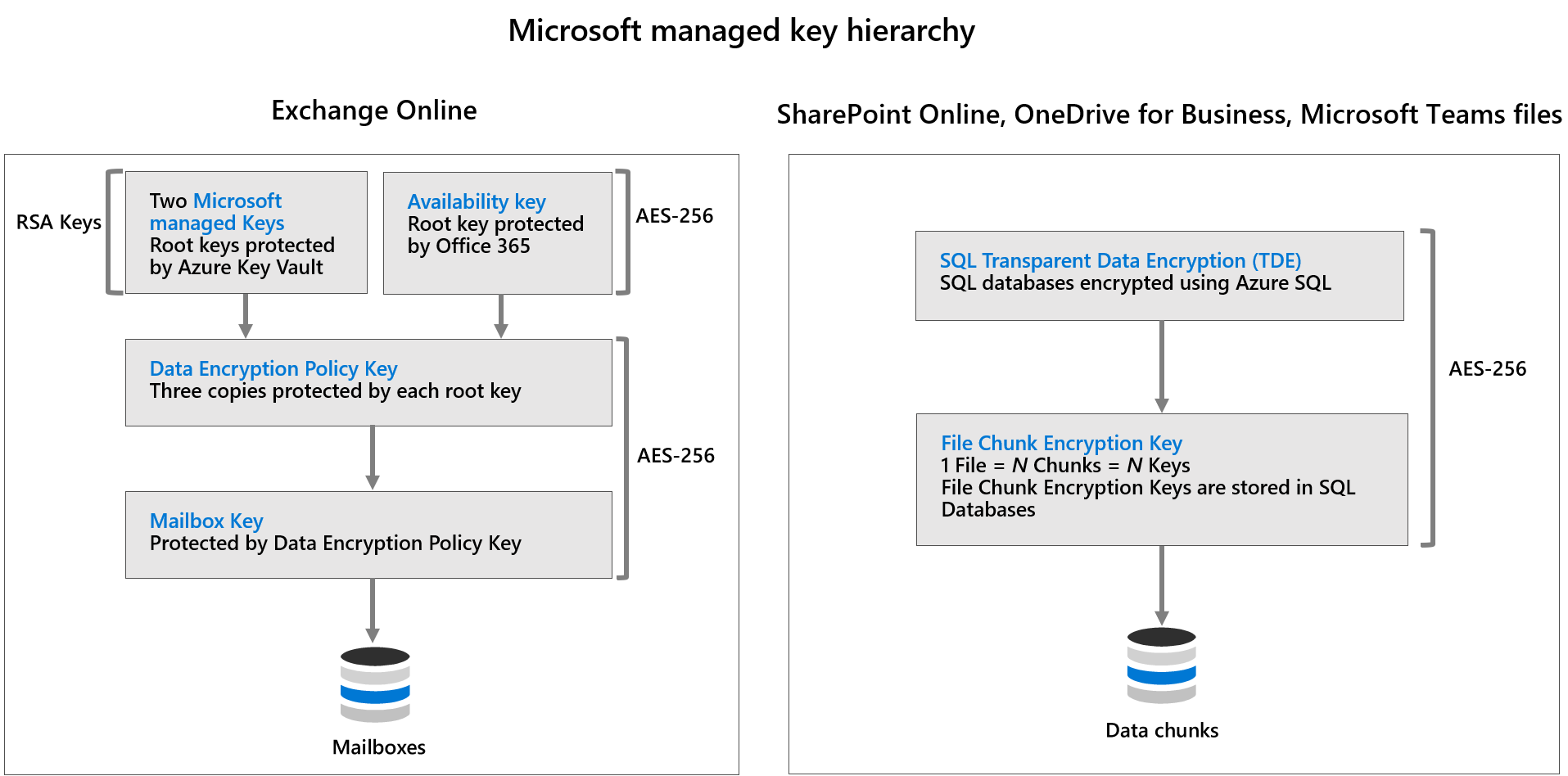
- Availability keys: Special keys used for data recovery and service continuity, strictly controlled by Microsoft, with no direct customer access. They enable data recovery if customer keys are lost.
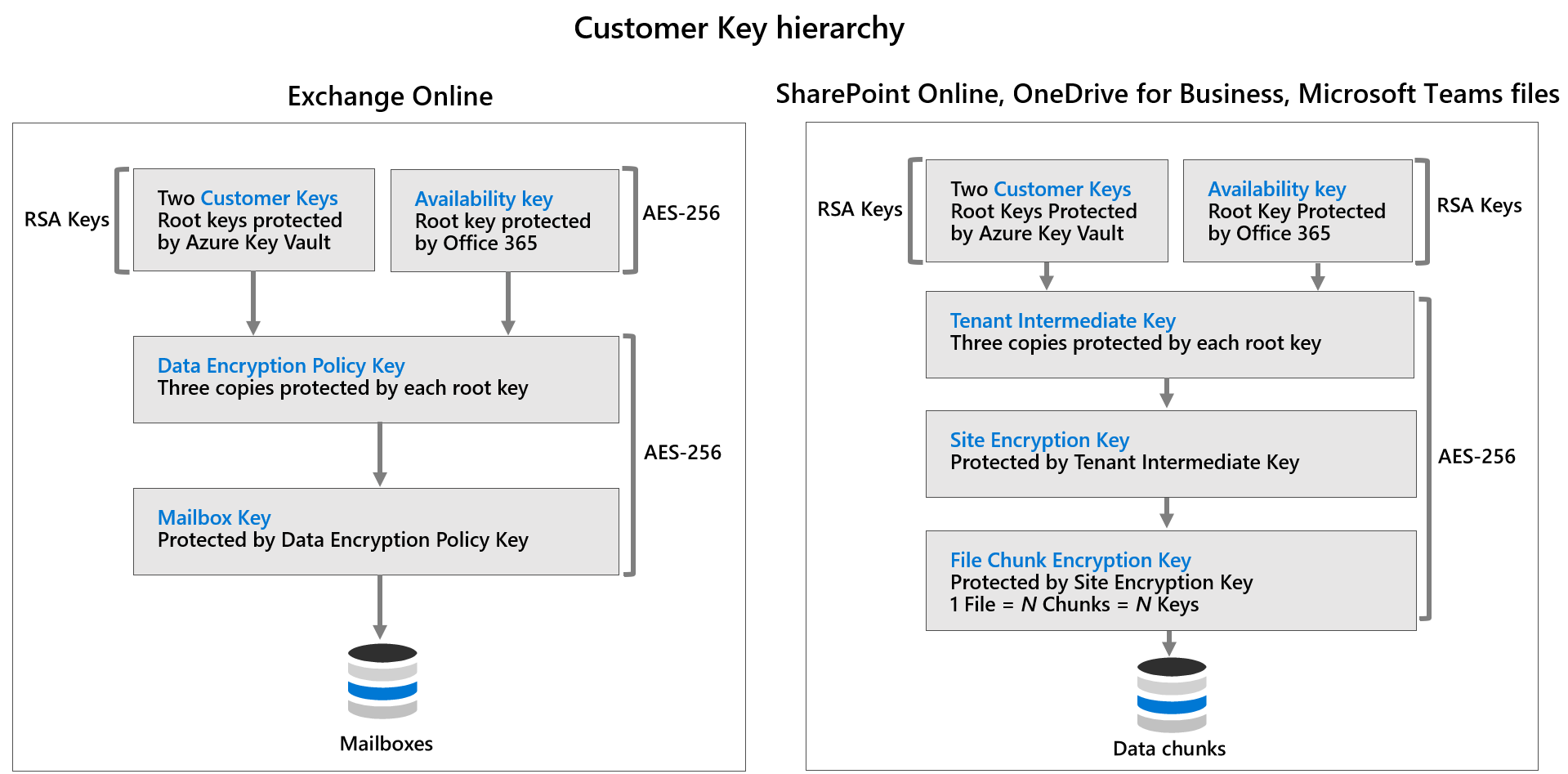
Customer-managed keys (Customer Key): Customers can generate and control their own keys via Azure Key Vault, providing greater control and compliance. These keys are stored within HSMs and subject to customer-managed rotation and revocation.
Encryption in Service
Services like Exchange Online, SharePoint Online, Teams, and OneDrive encrypt data at the application level with unique per-file keys, which are themselves protected by hierarchical key structures. Customers can choose to manage their own keys or rely on Microsoft’s default key management.
In summary:
Microsoft 365’s encryption framework combines hardware-based disk encryption, application-level encryption, and secure transmission protocols, all underpinned by robust key management practices. Customers have options for enhanced control through customer-managed keys, supporting compliance and security requirements.